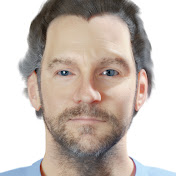
Topics covered (steps):
1. Scale the character to a realistic size (1.5m tall?) and apply all transforms
2. Enable the Rigify Add-on
3. Add the Human Meta-Rig
4. Scale the Meta-Rig to roughly fit the character
5. Apply all transformations on the rig
6. Enter edit mode and enable X-Axis Mirroring (butterfly in the top right, or Tool Options-Options-checkbox
7. Align the bones with the model (still in edit mode). Take care to keep bone bases and bone tips that are together, overlapping perfectly. Don't forget bone rolls!
8. Switch to object mode and Generate the rig. Armature Properties-Generate Rig
Download
0 formats
No download links available.
Blender Tutorial 37 - Using Rigify to rig a human character | NatokHD