Canva Tutorial for Sublimation
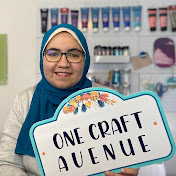
Canva Tutorial for Sublimation – Beginner Friendly I’m showing you how to use the FREE version of Canva to make your own PNG files for sublimation. You do not need to sign up for the Pro version, but in my opinion it’s totally worth it especially if you’re a small business owner! Sign up for Canva here: https://partner.canva.com/c/3446036/619765/10068 Get a Free Canva Pro 30-Day Trial: https://partner.canva.com/c/3446036/619765/10068 Creative Fabrica - Get One Month Free: https://www.creativefabrica.com/promo/8588/FGHIJKLMNO/ref/3005780/ Time codes: 0:00 – Intro 0:25 – How to Sign Up with Canva 1:06 – How to Create a Design in Canva 1:52 – Overall Walkthrough of Canva’s Interface 2:20 – How to Use Canva’s Elements Tab 3:30 – Using Canva’s Text Tab 3:41 – General Walkthrough of Canva’s Interface 4:35 – How to Use the Resize Feature in Canva (for Pro accounts only) 5:06 – How to Undo, Redo, Save, and Rename Your Design in Canva 5:38 – Overview of This Canva Tutorial 6:23 – How to Add an Element to Your Canvas in Canva 6:33 – Types of Canva Elements 7:53 – How to Create an Offset Using Canva 9:01 – Canva Elements with Color Layers 9:23 – How to Edit Colors of an Element in Canva 10:12 – Summary of Canva’s Element Types 10:39 – How to Add a Shape to Your Design 11:16 – How to Resize and Rotate a Shape in Canva 12:02 – How to Change a Shape’s Color in Canva 12:16 – How to Add a Border to a Shape in Canva 13:19 – How to Add a Gradient Fill to a Shape in Canva 14:43 – How to Add Text in Canva 15:34 – Text Editing Tools in Canva 15:52 – How to Find Fonts in Canva’s Font Library 16:39 – How to Change Font Sizing and Spacing in Canva 17:14 – How to Create an Outline to a Text in Canva 18:05 – How to Apply Text Effects in Canva 18:56 – How to Curve Text in Canva 19:44 – How to Add and Duplicate a Page in Canva 20:14 – How to Use Canva’s Premade Text Combos 20:31 – How to Use Canva’s Frames 21:25 – How to Use Frames to Make Designs for Custom Personal Gifts 23:02 – How to Use Canva’s Grids 23:22 – How to Upload Photos and Files to Canva 23:49 – Design in Canva with me! 26:51 – How to Arrange Layers in Canva 27:29 – How to Mirror Your Image in Canva 28:15 – How to Download Your Canva Design 29:13 – Outro **Some product links are affiliate links; I may receive a small commission with no extra cost to you! I only vouch for products that I love and use whether I would be compensated or not! Appreciate your support!** Let’s get in touch! Instagram: https://www.instagram.com/one.craft.avenue/ TikTok: https://www.tiktok.com/@one.craft.avenue Facebook: https://www.facebook.com/OneCraftAve/
Download
0 formatsNo download links available.