Ch. 1 Centroid CNC PLC Programming: Notepad++ Setup
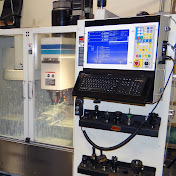
Chapter 1 Centroid CNC PLC Programming Video. This is the first video in a series that walks you through Editing and Compiling a Centroid CNC PLC program. Application: All Centroid CNC controllers are provided with PLC programs that are ready to run, many Centroid users and integrator do not need watch this video or understand how to program a Centroid PLC program as often one of the many free stock Centroid PLC programs can be used to meet the needs of the machine tool. (The Acorn Wizard even creates the PLC program for you based on the input and output selections!) So, why are these videos here? For the case where the user/integrator wishes to customize the CNC control system beyond the functionality provided in any one of the provided PLC programs such as, special applications or unique machine tools that require customization of the stock PLC program to suit the application. The Centroid PLC program is very powerful and supports a wide variety of customization and adds a lot of flexibility to the CNC control. These videos were created to provide an introduction to customizing a Centroid CNC system with PLC edits and macro creation for the power user/integrator. (Custom CNC PLC programs can be ordered from Centroid. Centroid can create the custom PLC program for you based on your specifications. email [email protected] for a quote) Free Tech Support can be had on the Centroid CNC community tech support forum. Post your questions here. https://centroidcncforum.com/ Chapter 1 – Notepad++ Setup Downloading and installing Notepad++. Following TB294 to setup Notepad++. Chapter 2 – PLC Introduction What is a Centroid PLC program? What does a Centroid PLC program do? What kind of stuff can you control with it? Centroid PLC program language. Files associated with Centroid PLC. Chapter 3 – Installing CNC Software and PLC Program Installing/Updating CNC12 software. Installing PLC program. Standard Centroid PLC programs. Chapter 4 – PLC Definitions – Part 1 PLC program header. Adding comments/commenting lines of logic. Constant definitions used for custom PLC messages. Chapter 4 – PLC Definitions – Part 2 Inputs, outputs, and memory bits. Probe, MPG, and jog panel connector I/O. System variables CNC-to-PLC PLC-to-CNC. Skin events Custom macros – M94/M95 Words, floating words, one-shots, timers, and stages Chapter 5 – PLC Program Logic IF THEN statement. Logic AND, OR, and XOR. Logic Not(Inverse), Is equal to, and Is not equal to. SET, RST, and coils. Bit-based parameters. Chapter 6 – PLC Tools PLC Diagnostic menu. Inverting inputs. Forcing outputs on and off. PLC Detective. Logic analyzer. Chapter 7 – Turning Output On-Off Using Input Logic to turn an output on and off based on the state of a physical input Using SET and RST commands Using the coils - () Chapter 8 – Turning Output On-Off Using AUX button – Part 1 and 2 Logic truth table. Using one-shot. Logic to turn an output on and off whenever an auxiliary button is pressed. If the output is off and the button is pressed, it will turn the output on. If the output is on and the button is pressed, it will turn the output off. Have the LED associated with auxiliary button follow the state of the output. Chapter 9 – Turning Output On-Off Using Custom Macro– Part 1 Macro definition. Macro header. Skip macro when in Search or Graph mode. System variable table in operator’s manual. MDI. Use 1 macro to turn output on and another macro to turn it off. Tie macro to auxiliary button. Use 1 macro to turn output on, wait some time, and then turn the output off. Use 1 macro to turn output on, wait some time, then wait for an input to close, and then turn the output off. Chapter 9 – Turning Output On-Off Using Custom Macro– Part 2 Use timer that is defined in the PLC program to place the system in a fault state if the input isn’t set. Use timer that is based off of a parameter value to place the system in a fault state if the input isn’t set. Creating custom PLC message. Chapter 10 – PLC Logic For Safety Items Door Interlock. Light curtain. Place system into a fault state when running a program. Prevent a program from running. The power user PLC programming manual download link is here.. https://www.centroidcnc.com/centroid_diy/downloads/CNC12-v412_operator_manuals/centroid-cnc12-plc-programming-manual.pdf and the Centroid PLC Detective manual is here. https://www.centroidcnc.com/downloads/centroid_PLC_detective_quickstart.pdf
Download
0 formatsNo download links available.