Create and Edit Geometry in OpenStudio using standard shape method
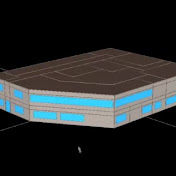
Thanks for viewing this preview video from Energy-models.com. We hope it is helpful! To access the full video please sign up for the course http://energy-models.com/OpenStudio-Training Hi everyone. Now I will start a new exercise for you guys. In this exercise I will try to explain as much as I can. I will definitely make some mistakes on purpose, so that you will know how to take care of them. In case you have any questions related to this OpenStudioplug-in,you can always reach back to us either through our email, or you can always comment back on simulate.energy, all right. Before I jump on a SketchUp interface, I would like to explain to you the SketchUp workflow that I like to use. I like to run the script, the OpenStudio script, to bring some space types and a construction set in my project. It's, again, a kind of OpenStudio measure that brings a library for you for schedules, as well as for lighting loads, as well as a lot of other information that I will explain later.Then I create a space geometry for everyone. And then, I mean, if you are familiar with SketchUp, you can totally do this process. Then I assign properties to these spaces,thenassign some controls to my spaces. Something like daylighting controls, or shading controls. Then I create thermal zones, in the thermodynamics part that I explained in my previous video. Then I refined individual properties, and then just run the simulation in OpenStudiointerface, all right. This is a general workflow, it has so many things to do.
Download
0 formatsNo download links available.