Create Pattern from a Line Drawing using Grid Designer
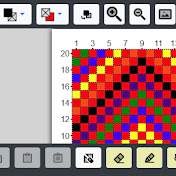
This video will show you how to digitize a line drawing with the Grid Designer. After digitized, the picture is then edited. Colors filled in, colors substituted, border created, etc. If you have had trouble digitizing a line drawing, see this video; there is a simple trick to know to do this. The line drawing used in the video was created by Gordon Johnson. See it here: https://pixabay.com/vectors/cat-kitten-animal-feline-kitty-6387849/. You could also create your own line drawing, take a picture of it with your camera and digitize it with the Grid Designer to start your own work. The pattern created in the video is shared here: http://www.freese-works.com/griddesigner/shared/uDczER.html. This pattern is free for non-commercial use. If you enjoy crafting of any kind where a grid-based drawing is used, the Grid Designer will be of interest to you. Knitters, crocheters, latch-hookers, cross-stitchers and more can use the Grid Designer to create your own projects. The designer is free to use and easy to learn. Happy Designing! http://www.freese-works.com 00:00 Music Intro 00:17 Intro to Grid Designer 01:05 Overview of this video 03:10 How to digitize from an image with a line drawing 05:45 Setting the Digitizer Type 07:30 Color Substitution in the Digitizer 08:52 Editing the digitized result 12:06 Two fingered quick draw 14:53 Color substitution tool 16:58 Adding border #1 19:07 Color dropper tool 19:55 Adding border #2 20:13 Line tool 21:03 Sharing patterns 26:00 Bye and Happy Designing! 26:15 More video links
Download
1 formatsVideo Formats
Right-click 'Download' and select 'Save Link As' if the file opens in a new tab.