Customizable Function Buttons On A Phone - ESP32 WiPhone
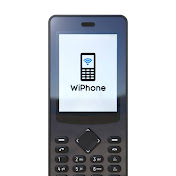
Having a dedicated button on your phone to do something special can be convenient. This video shows how to customize the WiPhone to respond to a button press and run custom software. Using software, or software combined with a daughterboard, this can give you a custom input for almost anything you like: turn the lights on in your house, remote start your car, open your garage door, control your stereo, or even act as an interface to other equipment built by you. We start by locating the section in the firmware where the button scanner detects when a user button is pressed. From there, we add some simple code to toggle an LED. Calling custom functions can be done from the same location if you want to do something more advanced. The WiPhone project is an open source mobile phone capable of making free calls through the internet. The phone is intended to be hackable, modular, cheap, and open while remaining usable by everyday people. It makes calls over WiFi only (no cellular radio). You can pre-order a WiPhone here: https://wiphone.io/store/cart.html ✅Thanks for Liking and Sharing! Subscribe at : https://www.youtube.com/c/ESP32WiPhon... For more information you can check out: Our blog: https://wiphone.io/blog/ Hackaday.io page: https://hackaday.io/project/159811-es... Or join our mailing list: https://www.wiphone.io ⬅️Previous Video: https://youtu.be/nuLvhdBDGwg 🎬Watch Everything In One Playlist: https://youtube.com/playlist?list=PLp...
Download
0 formatsNo download links available.