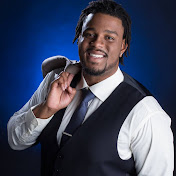
In this video I show you how to create a session template from scratch so that you can use it for next time you record. I also go over how to open session, recent sessions, and creating a session from scratch.
Please view my other videos. If you are looking to get your music in stores online use my distrokid code for your discount below:
https://distrokid.com/vip/uniteddestinyent
Gear Used:
Audio Interface:
https://amzn.to/2NZ3pQa
M audio interface:
https://amzn.to/2Mg9Ahy (must buy)
Microphones:
Sterling Audio st69
https://amzn.to/2NcJ36E
neumann tlm 103
https://amzn.to/2ZWOgFp
Sm7b dynamic mic
https://amzn.to/2O085FC
Presonus Monitor Station:
https://amzn.to/2ZSypYH
m audio keystation 49:
https://amzn.to/2LvgMpA
Video Gear:
Canon 80D: https://amzn.to/2O8jKSZ
Canon 6D: https://amzn.to/31n3Szr
Sennheiser Lavaliers:https://amzn.to/31tUg6o
Fovitec Bi Color Lights: https://amzn.to/2Q9JVLC
Go like my facebook and follow my instagram:
https://www.facebook.com/Uniteddestinyent/
https://www.instagram.com/chrisleeakatoooney/
https://www.instagram.com/uniteddestinyent/
Go like my facebook page
united destiny entertainment
instagram:
@uniteddestinyent
@chrisleeakatooney