How to model construction types in OpenStudio
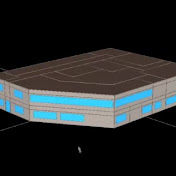
Thanks for viewing this preview video from Energy-models.com. We hope it is helpful! To access the full video please sign up for the course http://energy-models.com/OpenStudio-Training All right everyone. In last the video we actually worked on schedules. First of all, If, I hope you're making all the notes during these webinars. There's so much information floating around. I want you to make your own notes. Please, just take out all the bullet points. For example, as I mentioned, we're, what are the best locations to assign these schedules? You want to start with the space types. And then, spaces on directly at internal loads. Assigning space types, schedules at the story or building level isn't appropriate for this kind of workflow, all right. Now, after schedules, we are going to work on constructions. Again, a similar kind of concept. What you have for schedules, you can assign it at different levels. Building story, space types, spaces, or directly add surface and subsurface options. The best location to assign it at building level, in case you have each and every wall constructed of same material. Same window wall properties, same roof properties.
Download
0 formatsNo download links available.