✨Make your 3d models more better
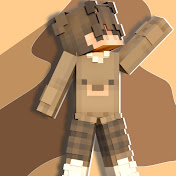
✨Make your 3d models more better🔥 ____________________________________________ Discord:-https://discord.gg/QC9ugaE6z 2nd channel:-https://youtube.com/@PixiEditzz?si=4UYIteM74IQXgDvG 3rd channel:-https://youtube.com/@PixiVlogz?si=MdKjXrdWxoPqaRGM ____________________________________________ ZArchiever:-https://play.google.com/store/apps/details?id=ru.zdevs.zarchiver Nomad Sculpt:-https://drive.google.com/drive/u/0/mobile/folders/1h2hUje-Qnqi_RQ8nJndZS2nVIeFxk4y8 Blockbench:-https://drive.google.com/drive/folders/1pKpD2ewC7R6i4QZeD8ktoqx8b9SdjzxQ ____________________________________________ •Ambient Occlusion (AO): Adds contact shadows to crevices, making objects look grounded. •Bloom: Creates a soft glow effect around bright areas, ideal for light sources or glossy materials. •Depth of Field (DoF): Simulates camera focus, blurring the foreground or background to draw focus to the subject. •Tone Mapping/Color Grading: Adjusts color, contrast, and exposure to change the scene's mood. •Global Illumination (GI): Simulates light bouncing off surfaces for more realistic lighting. •Curvature: Highlights the concave and convex details of the sculpt to accentuate edges and texture. •Vignette: Darkens (or lightens) the corners and edges of the screen, creating a subtle or dramatic frame around your subject. • Chromatic Aberration: Simulates lens artifacts where light is decomposed, splitting colors (red/green/blue) towards the edges of the screen. •Grain: Adds a layer of noise or texture over the entire render. •Sharpness: Increases the contrast along edges in the image, making details appear sharper and more defined. •Pixel Art: Drastically reduces the resolution of the final image render in real-time, making it look like a retro pixelated game asset. •Scanline: Simulates the look of old CRT monitors or television screens by adding thin, horizontal lines across the screen. •Dithering: Reduces "banding" artifacts (smooth color gradients turning into blocky steps) by applying a subtle, random noise pattern to the pixels. •Anti-Analising: Smooths out jagged, blocky edges ("jaggies") on your 3D models. Unlike simple anti-aliasing, TAA uses data from previous frames to determine how to smooth the current frame, making it effective for real-time 3D apps. ____________________________________________ :warning:Disclaimer :- This video is purely for entertainment & information purpose. We do not wish to hurt & disrespect any sentiments of any person or class. In no way does this video insult any stream, field or people. Here's My Point Of View Or Opinion Over Certain things.I Totally respect everyone beliefs. This video is merely for entertainment purpose not to hate anyone and should not be taken seriously & this video may be not 100% accurate as it based on my internet research. ____________________________________________ ©️Copyright Disclaimer :- Under Section 107 of The Copyright Act 1976, Allowance Is Made For "Fair Use" For Purposes Such As Criticism, Comment, News Reporting, teaching, Scholarship And Research. Fair Use Is A Use Permitted By Copyright Statute That Might Otherwise Be Infringing. Non Profit, Educational Or Personal Use Tips The Balance In Favour Of Fair Use. --------------------------------------------------------------------------- Keywords And Hashtag:) Gfx pack for Minecraft videos, trending gfx pack for your minecraft videos, Sound effects pack for minecraft video, Trending sfx pack for your Minecraft gaming video trending font pack for your Minecraft videos, VFX pack for your Minecraft vide, Trending VFX pack Minecraft video, Motion BG pack for your Minecraft video, trending motion BG pack for your Minecraft video, Background music pack for Minecraft video, trending background music for your Minecraft videos, BGM pack for Minecraft video, trending BGM pack for your Minecraft video, minecraft video editing pack, minecraft videos, trending sound effects for minecraft videos, minecraft smp video editing pack, trending gfx for minecraft gaming video, sound effects for minecraft videos, zapnow Playz editing pack #minecraft #editing #gameplay How I make 3d models for Minecraft thumbnails how to make 3d models for minecraft thumbnails how to create 3d models for minecraft thumbnails how to make models for minecraft thumbnails how to make models in prisma 3d in mobile how to make minecraft models in prisma 3d how to make minecraft models in nomad sculpt in hindi how to make minecraft models in nomad sculpt how to make minecraft models in blockbench nomad sculpt tutorial in Hindi blockbench tutorial in Hindi minecraft tutorial minecraft education minecraft how to learn minecraft how to make minecraft thumbnails in mobile how to make minecraft thumbnails in pixellab how to make thumbnail like psd1 in mobile how to make 3d minecraft thumbnails in mobile how to make minecraft thumbnails in mobile ____________________________________________ I hope you enjoyed the video :youtube:
Download
0 formatsNo download links available.