Mapping Urban Development: Analyzing Building Footprints Using Google Earth Engine
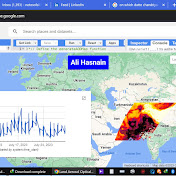
urban development by analyzing building footprints within our study area. Using Google Earth Engine, we've loaded a shapefile defining our study area and extracted building footprint data to visualize the extent of human habitation. Throughout this video, we'll explore the process of filtering building footprints within our designated study area, showcasing how geographic information systems (GIS) and remote sensing technologies can provide valuable insights into urban landscapes. Join us as we navigate through the intricacies of spatial data analysis, discussing the significance of mapping urban development for various applications such as urban planning, environmental monitoring, and infrastructure management. By the end of this video, you'll have a deeper understanding of how advanced geospatial tools can empower us to study and understand the dynamics of urban environments. Don't forget to like, share, and subscribe for more geospatial analysis tutorials and insights. // Load the study area shapefile var studyArea = ee.FeatureCollection("users/Learn_Geography_With_AI/Pakistan_National_Boundary"); // Load building footprint data var buildings = ee.FeatureCollection("GOOGLE/Research/open-buildings/v3/polygons"); // Filter building footprints within the study area var buildingsInStudyArea = buildings.filterBounds(studyArea); // Display the study area Map.centerObject(studyArea, 15); Map.addLayer(studyArea, {color: 'FF0000'}, 'Study Area'); // Display building footprints within the study area Map.addLayer(buildingsInStudyArea, {color: 'orange'}, 'Building Footprints'); // Print the number of buildings in the study area print('Number of Buildings in Study Area:', buildingsInStudyArea.size());
Download
0 formatsNo download links available.