Pls. don't forget to turn on the dynamic UCS (you can press F6 to turn it on and off)
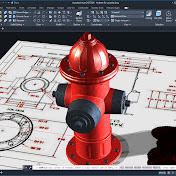
In this Tutorial, a 2D representation of a 3D model is provided for analysis and for accurate dimensioning. The following commands and Drawing Settings are being utilized and employed:
Lines, Circles, Extrude, Presspull, Subtract, Union, Filletedge,
Dynamic Input, Dynamic UCS, Polar Tracking, Object Snap Tracking, Object Snap and 3D Object Snap. Please don't forget to hit the subscribe button and comment below for any question. For exact dimensioning, pls. visit my website by clicking this link
http://autocadnetwork.blogspot.com/2018/07/autocad-3d-2018-beginners-tutorial.html
-~-~~-~~~-~~-~-
Please watch the detailed instruction on how to do a mechanical model using AutoCAD 2018: "Mechanical Modeling-Universal Coupling in AutoCAD 2018"
https://www.youtube.com/watch?v=E_Thbgjn1G4. I will be available to answer any related questions.
-~-~~-~~~-~~-~-
Download
0 formats
No download links available.
Modeling in Autocad 2018 - Beginners Tutorial Exercise | NatokHD