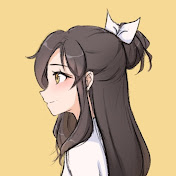
PLEASE READ (& turn on captions!) skip to 0:42 for actual drawing to start.
- I used an old video editing program & it had some rendering errors that weren't present during the editing process. I ended up just uploading the video without fixing the editing errors :c sorry about that!
- My drawing process tends to fluctuate depending on the type of illustration I am working on. But despite the different methods, I tend to stick to a general approach which I have captured and shared with you through this video.
- Also I'm still trying to figure out the best audio volume settings to edit with for Youtube. Sorry if its too low or too loud, I'm still figuring things out :c
Despite my unprofessional skills, thank you so much for watching!! my next video will be better in quality (hopefully) ❤️
color palette generator:
https://coolors.co/
Thanks for watching!
~ alice 🤍
⎯⎯ SOCIALS ⎯⎯
Instagram ➜ https://www.instagram.com/aliciedraws/
Tik Tok ➜ https://www.tiktok.com/@aliciedraws?
Discord ➜ https://discord.com/invite/ZA4aRzNnnW
Twitter ➜ https://twitter.com/aliciedraws
All links ➜ https://aliciedraws.carrd.co/
For business inquiries only:
💌 [email protected]
⎯⎯ AUDIO ⎯⎯
- SOSO by Daystar
- Fluffy by Daystar
Licence Creative Commons
⎯⎯ TAGS ⎯⎯
#procreate #procreateillustration #howtodrawonprocreate #procreatefulldrawingprocess #procreatedrawing #ipadprodrawing #digitalarttutorial