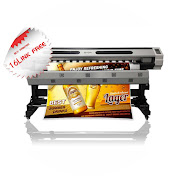
If your large format printer is rolling material inward while printing instead of rolling it out, your prints will never align vertically—no matter how many calibrations you do.
In this video, I explain:
What normal and reverse print direction mean
Why feed direction affects vertical alignment
How printers must print on top of the last printed area to stay aligned
Why printing while rolling material inward causes shifting
How to correctly set your machine so:
DOWN button rolls material out
UP button rolls material in
How to confirm the correct direction before printing
If your prints look good horizontally but shift or overlap vertically, this video will help you fix the real problem instead of wasting ink and material.
This explanation is especially useful for:
Large format printer operators
XP600 / Epson-based machines
Machines printing flex, vinyl, banner, or paper
Technicians troubleshooting vertical misalignment
⚠️ Correct feed direction is fundamental. If it’s wrong, alignment will never be right.
Download
0 formats
No download links available.
Printer Printing Backwards?- How to Set Normal or Reverse Print Direction | NatokHD