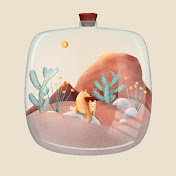
Hello :) I’m excited to be back and sharing a new Procreate tutorial! I really hope this is helpful to you. If you have any questions please do not hesitate to reach out in the comments and I’ll do my best to answer quickly!
If you create art with this tutorial I would love to see it!!! Please share with me on instagram @zyracatstudio!
All of the brushes for this project are default procreate brushes!
Studio Pen (Inking)
Marker (Inking)
Nikko Rull (Painting)
Wet Acrylic (Painting)
Soft Brush (Airbrushing)
Flat Brush (Painting)
Here is a link to the optional free sketch and color palette: https://zyracat.com/tutorials-and-resources
Feel free to create your own sketch or choose different colors! If you do create your own sketch be sure to use something like the studio pen instead of a pencil or more textured brush. That is going to help our shapes stay smooth when we use the sketch as our reference for color fill.
00:00 - 00:53 Intro + Setup
00:53 - 01:27 Turn Sketch into Reference Layer
01:27 - 02:59 Flat Color
02:59 - 04:33 Eyes + Plants
04:33 - 08:52 Shade Ghost + Add Glow
08:52 - 11:50 Shade Wood
11:50 - 13:04 Gold Plate
13:04 - 15:35 Shade Glass
15:35 - 17:23 Add Text
17:23 - 17:55 Final Touches
17:55 - 18:24 Outro
My website: https://www.zyracat.com
Instagram: https://www.instagram.com/zyracatstudio/
Email: [email protected]
Copyright: All tutorials are meant for practice only, feel free to share your results on social media and tag me. Please do not use copies of my artwork for commercial purposes, such as selling prints.