Quick Tips for Editing Audio Clips in MPC 3.0 : Using the Split-Screen Function
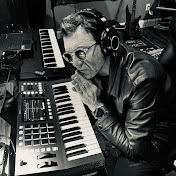
Hey everyone, I hope you're all doing well and staying productive. I've been working on my latest track, Better Than Sunshine, and I wanted to share some quick tips for editing audio clips in MPC 3.0 software. Here are a few things you can do: - Use the little arrow at the bottom of the arranger page to access a split screen with a grid editor mode. This allows you to edit audio clips in isolation. - In grid mode, you can nudge, split, duplicate, and truncate clips, but remember, it's all done in isolation. - If you need to adjust a clip in relation to another track, work from the main arranger page. - To change the volume of an individual clip without affecting the whole track, double-tap the clip to access a mini grid page. - Pull up the hidden menu at the bottom to access more editing functions and adjust the volume in decibels. This split window approach is practical for using the arranger as a reference while editing in grid view. I hope these tips are helpful. Keep creating and happy producing! #mpc #mpckey37 #musicproduction #beats #lofi #songwriter #beatmaking #chill #singersongwriter #manoukian #mpclive3 #mpcxl #tutorial #mpctutorial
Download
0 formatsNo download links available.