Sequence Development and Execution in quick start Empower 3 Part 2/2
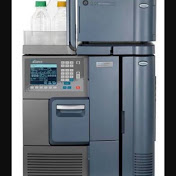
Step-by-Step Sequence Run Procedure The sequence in Waters software is generally referred to as a Sample Set. Here is the standard workflow to get your run started: 1. System Equilibration Before starting the sequence, ensure your system is ready. Purge: Flush the pump to remove air bubbles. Prime: Ensure the needle wash and seal wash are flowing. Condition: Run the mobile phase through the column at the starting gradient until the pressure and baseline are stable. 2. Create the Sample Set Method In the Empower "Run Samples" window, navigate to the Sample Set Method tab. Insert Rows: Add rows for your Vials, Standards, and Samples. Function: Define each row (e.g., Inject Standards, Inject Samples, or Clear Calibration). Vial Position: Enter the exact location of your vials in the autosampler tray. Injection Volume: Specify how many \mu L to inject. Method Set: Select the specific Method Set (which includes the Instrument Method and Processing Method) you created for this analysis. 3. Set Up "Run and Report" Decide how you want the software to behave during the run: Run Only: Acquires raw data for manual processing later. Run and Report: Automatically processes the data and prints a report after each injection. 4. Check the "Run Time" and "Samples" Total Time: Ensure your run time is long enough for all peaks to elute and the column to re-equilibrate. Vial Check: Physically verify that the vials in the tray match the positions entered in your Sample Set. 5. Start the Run Click the Green Run Button (Load/Run). Select Run Sample Set. Monitor the System Monitor to ensure the first injection occurs and the pressure remains within safe limits.
Download
0 formatsNo download links available.