Setup Polycom VVX for VOIP service
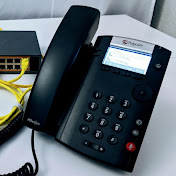
Simple, step-by-step, video on how to setup the SIP (Voice Over IP) service on a Polycom VVX phone using CallCentric as the service provider. This video is geared for people who are new to the VOIP field. SIP is the dominate VOIP protocol in use today. A SIP Account is required in order to be able to make calls with your Polycom phone. This video demonstrates setup using the Call Centric SIP serivce. You can find them here: http://www.callcentric.com/?aid=233840 Need some help from Steve? https://sites.google.com/view/voip-telecom/home Things you will need: ------------------------ - Polycom VVX phone (201,300,310,311,401,400,411,500,511,600) - Callcentric account - wired Network connection - Polycom power supply adpater (unless your network provide Power Over Ehternet) You must begin with the Polycom phone either being new or factory defaulted. For example if you purchased the phone in a used condition, you may need to factory default it before you can enable the SIP service. There is a link in the video to another video which has these instructions. Follow the steps in the video to create a new extension in your CallCentric account http://www.callcentric.com/?aid=233840 Then, take the Authentication ID number (usually 1777xxxxxxx) and the password you created to setup the phone's SIP information. From the SETTINGS screen Go to ADVANCED Password is 456 (if this does not work, you phone is probably not factory defaulted) Go to Administration Settings Go to LINE CONFIGURATION Choose LINE 1 Enter the ADDRESS as the 1777xxxxx number Then go to LINE KEYS, set that to 2 or 3 (your prefrence) Then go to AUTHENTICATION - use login Creds = NO - DOMAIN = Callcentric.com - USER ID = (your 1777xxxxx number) - password = (you createdd in extension setup on Callcentric) Go To SIP PROTOCOL choose SERVER 1 Address = callcentric.com port: 5060 Register = yes Transport = UDP Only Then hit the back key until you get to a screen that says: Exit w/o save save config Resume setup choose SAVE CONFIG Phone should now attempt to register to the registrar for Callcentric. Try to make a call. If you do not have a CallCentric account, you can setup one up here http://www.callcentric.com/?aid=233840
Download
0 formatsNo download links available.