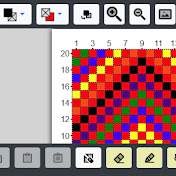
This video shows how to digitize an image into a grid using the Grid Designer. Two examples are created and viewed using different settings. One example for a latch hook rug, the other for a cross stitch project.
Note that the digitization UI has changed since this video was released. To see the new UI, watch: https://www.youtube.com/watch?v=LyJlbZQkRuo&list=PLCmyzdLoK7EKkcvz5LP1oYoe17UcxCz3Q&index=3&t=6s
If you enjoy crafting of any kind where a grid-based drawing is used, the Grid Designer will be of interest to you. Knitters, crocheters, latch-hookers, cross-stitchers and more can use the Grid Designer to create your own projects. The designer is free to use and easy to learn.
Happy Designing!
https://www.freese-works.com/griddesigner
Download
0 formats
No download links available.
Simple Image Digitization in the Grid Designer | NatokHD