Step-by-Step Procreate Tutorial: Smooth Color Blocking and Shading for Character Art
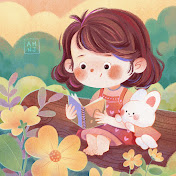
Learn how to draw a cute girl character in Procreate step by step, from loose sketch to smooth color blocking and soft shading. 🌸 In this Procreate character illustration tutorial, I’ll show you exactly how I use layers, the symmetry tool, and simple blush and highlight techniques to make my portraits look clean, glowy, and full of life — even if you’re a beginner. ================================= 🖼️ Free Download: --► https://learn.amandaninji.com/tutorial-7-1-1-girl-portrait-free-download 🎨 Drawing Membership: monthly inspiration packs +weekly live co-drawing --► https://www.amandaninji.com/membership 🎨 My Illustration Course: enrollment opens sometimes—check here or join the waitlist --►https://www.amandaninji.com/homepage =================================| 🤝 Stay Connected: 🔹 Instagram: [@amanda.ninji_illustration](https://www.instagram.com/amanda.ninji_illustration) 🔹 TikTok: [@amanda.ninji](https://www.tiktok.com/@amanda.ninji) 💬 Join the Discord: https://discord.gg/NQpt6zWv7v ================================= ⏱ Timestamps: 00:00 Intro 00:19 Rough sketch – blocking in the main shapes 01:19 Refining sketch into clean line art 02:02 Rough coloring – testing colors and overall mood 02:23 Laying down detailed base colors on separate layers 04:14 Adding shading and color variation to each color block 05:29 Final step – tiny highlights and finishing details ================================= 🖌️ Note on Brushes, Papers & Textures: --► All brushes, paper textures, and canvas files shown in this video are exclusive to my membership and not sold separately. 🎨 My Tools & Materials: • ♥︎ iPad Pro 13-inch (2025) + Apple Pencil Pro • 🖌️ Software: Procreate 🎵Music: "Starting Out Waltz Vivace" Kevin MacLeod (incompetech.com) Licensed under Creative Commons: By Attribution 4.0 License http://creativecommons.org/licenses/by/4.0/ ================================= Music: "Carefree" Kevin MacLeod (incompetech.com) Licensed under Creative Commons: By Attribution 4.0 License http://creativecommons.org/licenses/by/4.0/ Thank you for drawing with me! 💛 Don’t forget to like, comment, and subscribe if you’d love more digital illustration tutorials like this one. See you in the next video! ================================= Please Note: This tutorial and artwork are for personal use and practice only. Please do not use the artwork for any commercial purposes or reproduction.
Download
0 formatsNo download links available.