Stream Deck Pro Tools Plugin Workflow: A Beginner's Guide
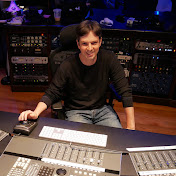
🚀 INSTANT Plugins in Pro Tools: Stream Deck + Keyboard Maestro Beginner Workflow Guide Inserting plugins shouldn't take five clicks! Learn the secret to achieving a seamless, automated workflow by combining the Elgato Stream Deck and Keyboard Maestro. This tutorial is the perfect beginner's guide to creating a macro that loads your favorite plugin (like the SSL Channel) onto any track with just a single button press. This is a game-changer for music production, allowing you to focus on creating and less time spent menu diving. Don't waste another session clicking! Free Keyboard Maestro Macro for "Insert SSL Channel" : https://rkns.link/ap1e0 Using an Elgato Stream Deck is a huge time saver! Get a stream deck my here : (Amazon Affiliate Link) • Stream Deck Plus : https://amzn.to/48MWUJL • MkII: https://amzn.to/4oE8hZf • XL : https://amzn.to/4qs8pMZ • Mini : https://amzn.to/4oaIHeB • Neo : https://amzn.to/47qOTYQ Protools Icon Pack : https://marketplace.elgato.com/product/protools-audio-sweetener-icon-pack-9e0622ad-4fa1-4da8-abc7-9c2452b46c31 For all Stream Deck Templates Purchase go here: https://www.nico-essig.com/shop If you find these videos useful, here are a few things you can do to help us out: Basic Protools Stream Deck Profile with Shortcuts: https://www.nico-essig.com/product-page/basic-protools-transport-shortcuts Basic Protools Template https://www.nico-essig.com/product-page/basic-protools-template-1 Includes : • My Main protools Stream deck page • Track Setup Page (Routing to different instrument ) • Color Palette Drop a "Follow" on our Socials : https://www.instagram.com/nico_essig/ https://www.tiktok.com/@nico_essig For more news and portfolio material: https://www.nico-essig.com/ Equipment recommendations and more : https://www.nico-essig.com/shop ---- Timeline : 00:00 - intro 01:31 - Creating the Macro in Keyboard Maestro 02:58 - Final Thoughts --- I Love using my Stream Deck for triggers. It really improves my Work Flow! I would recommend any music producer to try it! it has so much potential! Keyboard maestro basically : A trigger creates An action or sets of actions. Called Macros. • Keyboard Maestro is not available for Windows but there are plenty of alternatives that runs on Windows with similar functionality. The best Windows alternative is AutoHotkey, which is both free and Open Source. You don't need Soundflow to create your own shortcuts, it is easier than you think, AND CHEAPER!!! If you are interested in getting my shortcuts please message me and i can make them available. Video on how to Setup an Elgato Stream deck with Keyboard Maestro: https://youtu.be/I7Cm3VOIrzQ https://www.nico-essig.com/shop --------- Keyboard Maestro : https://www.keyboardmaestro.com Youtube Channel: https://www.youtube.com/channel/UC397SZv7zBQ2f5nmOXsFhhQ thank you! --------- Please follow us and comment if this is helpful! How to use stream deck with any DAW,How to use stream deck,how to setup a stream deck,elgato stream deck,how to use stream deck with protools,elagto stream deck with protools,Keyboard Maestro,Keyboard maestro with protools,protools shortcuts,DAW workflow,Elgato Stream Deck + Pro Tools,pro tools tutorial,how to use stream deck,stream deck soundboard,pro tools keyboard shortcuts,pro tools key commands,stream deck setup,keyboard maestro tutorial,create new tracks protools,How to use stream deck with any DAW,How to use stream deck,how to setup a stream deck,elgato stream deck,how to use stream deck with protools,elagto stream deck with protools,Keyboard Maestro,Keyboard maestro with protools,protools shortcuts,Elgato Stream Deck + Pro Tools,pro tools tutorial,pro tools keyboard shortcuts,pro tools key commands,stream deck setup,keyboard maestro tutorial,Pro tools shortcuts,best pro tools shortcuts
Download
0 formatsNo download links available.