Stream Your DJ Sets for UNDER £50 (Full OBS Setup Tutorial)
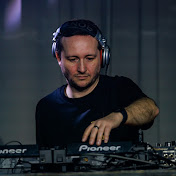
Want to livestream your DJ sets to YouTube or Twitch without spending loads of money? In this video, I’ll show you exactly how to build a cheap and simple DJ livestream setup using a basic webcam, the Behringer UCA222, and OBS. This setup is perfect if you’re just getting started with streaming and want clean audio from your decks without distortion, plus a solid video setup that looks great for the price. I’ll walk you through everything step by step, including how to connect your gear, set up OBS, and go live on both YouTube and Twitch. 🎧 What you’ll learn: How to connect your DJ mixer to your computer properly Why the Behringer UCA222 is perfect for streaming How to set up your webcam in OBS How to get clean, balanced audio levels How to stream to YouTube and Twitch If you’re a DJ looking to get your sets online, this is one of the easiest and cheapest ways to do it. 👍 If you found this helpful, drop a like and subscribe for more DJ tips, tutorials, and trance content. 💬 Got questions about your setup? Drop them in the comments and I’ll help where I can. Links: Behringer UCA222 & Amazon RCA Cables: https://amzn.to/4mcevj9 UGreen 1080p Webcam: https://amzn.to/4scogz2 Download OBS: https://www.obsproject.com 🎧 Connect with DJ Alex Eneas: Twitch: twitch.tv/tranceobsessionradio Podcast: www.alexeneas.co.uk/tranceobsession Instagram: instagram.com/alex.eneas Twitter: twitter.com/@alexeneas1 Facebook: facebook.com/djalexeneas 🔔 Don't miss a beat - hit the notification bell and join us for another trance-filled night! 🚀 #TranceObsession #AlexEneas #TranceFamily #Trance #Vinyl
Download
0 formatsNo download links available.