TUTORIAL | How to make this edit ft. Txt Soobin | Smudge edit
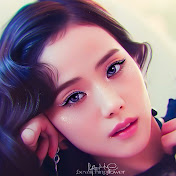
Hello baBEEs!!!🐝 That is a nickname for my subscribers, viewers, followers. Flower and bee. 🌼🐝 Anyways here is another tutorial and it's a boy. Custom brushes used here is in the pack of brushes that I will release on August. QR codes of the used custom brushes are on the resources link. ⬇️⬇️ RESOURCES LINK: (image used, qr codes) Note: If you'll open it, use chrome or safari. Not in Google. For you to be able to download. https://drive.google.com/folderview?id=1Dl7Yd96vRvpli50EUN6gVIV8S_cf7o70 Timestamps 00:00 Intro 00:19 Start 00:40 Smudge/blur 04:40 Outline 06:13 Eyes 18:24 Eyelashes 19:14 Eyebrows 20:05 Highlights 25:47 Eye color 29:19 Blush, eyeshadow, etc 34:02 Lips 37:36 Hair 41:24 Filter 41:50 Finalizing(bg,filter,watermark) 43:01 Result 🍓 DISCLAIMER Original photo/music used is not mine. © ALL CREDITS GO TO THE RIGHTFULL OWNERS. 🍫Song used: credits. 💕🎶🎵 Lukrembo- Teapot How to use QR code? How to download and import my brushes? Watch this video - https://youtu.be/RXXSsfyEgDU ---------+.**:;+ ⭐🌜+;:**.+--------- Other social medias account:📷 Wattpad: bwitchingflower Instagram: Bewitchingflowerr Twitter: bwitchingflower Tiktok: Bewitchingflowerr 📮📧Gmail: [email protected] Pls. Subscribe to this channel for more videos and like this video. Share this video. Thanks for watching!!🎥📺
Download
0 formatsNo download links available.