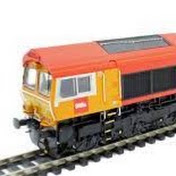
This is video #4 in the Using iTrain Tutorial Series. It covers the creation of Locomotives using the Locomotive Editor and then controlling the locomotive manually using the iTrain throttles.
00:31 – Fundamental Basics
02:54 - Quick Speed Profile
07:52 – Creating a new locomotive
09:36 – Image Tab
10:02 – Speed Tab – Step1 and Step 126 – Linear
10:56 – Options Tab
11:10 – Saving your new Locomotive
11:42 – The difference between Locomotives & Trains
13:34 – Making the train move manually – video insert
14:35 – Creating a new Locomotive – Revision
15:53 – Speed Tab – copy from existing locomotive
16:49 – Saving the new Locomotive
17:10 – Running the new Locomotives – video insert
18:48 – Saving the layout
Download
0 formats
No download links available.
Video 04: Using iTrain Tutorial Series - Running Locos Manually | NatokHD