Yamaha MT4x | Review & MEGA Tutorial
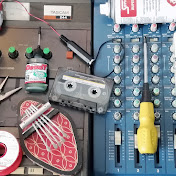
A review of and tutorial on the Yamaha MT4x 4 track cassette recorder. Chapters and timestamps are provided if you need to know somethign specific. ___________________________________________________________________________________ TETRAKAN - Fix & Use Tape Recorders Overviews; tear-downs; repair vlogs; techniques; tutorials; demo recordings... ...covering every cassette multitrack recorder ever made!* *(eventually) https://www.youtube.com/c/Tetrakan TOOLS AND EQUIPMENT I USE;- https://kit.co/Tetrakan I post exclusive content on PATREON;- http://www.patreon.com/tetrakan If you are within posting distance of Scotland and would like me to repair or service your multitrack cassette recorder, there is an email contact form provided on my facebook page, or you can message me using facebook or instagram. DONATIONS are gratefully accepted via my BLOG, which also features written articles and FREE DOWNLOADS OF SERVICE MANUALS;- https://tetrakansupermonobloc.home.blog/ I prefer to answer questions in the youtube comments where my answers can help more than one person, but if you need to share photos etc, you can message me via facebook. https://www.facebook.com/tetrakan/ ___________________________________________________________________________________ CHAPTERS 0:00 Introduction 0:24 Release date & cost 0:54 Closest equivalent 1:47 FIVE KEY FACTORS 1:55 1 Size & Weight 2:23 2 Tape speeds & Noise Reduction 3:41 3 How many tracks or inputs can be recorded 4:17 4 EQ & FX 4:53 5 Individual tape outs 5:11 Why tape outs are important - motor drift 05:40 FEATURE OVERVIEW 05:47 Gain controls & signal levels 06:22 Equalisation controls 06:45 Auxiliary sends 07:11 Buss assign buttons 07:19 How pan controls + assign buttons direct signals to tape 07:33 Pan controls' different roles in recording & playback modes 08:26 Tape/Line input switch 08:48 Aux return assign buttons 09:21 Applying FX to a monitor mix during tracking without recording the effect 09:44 Aux return level controls 10:01 Monitor select switches 10:42 Monitor level control 10:50 Cue amplifier 11:44 Pitch control 12:12 Digital counter, reset, & return to zero 12:34 Record arm switches 12:58 DBX switch 13:05 Vacuum fluroescent display 13:13 Track & stereo buss bar meters 13:24 Rehearsal button 13:37 Shuttle buttons & cassette mechanism 13:50 Headphone & punch in/out sockets 14:02 Why type II tapes are recommended 14:54 Things to be aware of if you're going to use Type 1 cassettes 16:01 REAR PANEL 16:06 Monitor out RCA sockets 16:18 Stereo out RCA sockets 16:33 Microphone 1/4" input sockets 16:43 For XLR microphones, use female XLR to male mno (TS) 1/4" Jack cables 17:11 Auxiliary return 1/4" jack sockets 17:45 Auxiliary send 1/4" jack sockets 17:54 Tape out RCA sockets 17:59 Sync button & sync out socket 18:19 DIGITAL MEMORY FEATURES 18:55 Set and shuttle to memory locations 19:45 Setting up to use rehearsal mode & autopunch 23:05 Using an external footswitch to punch in and out 23:45 PLAYING BACK A RECORDING 24:17 Using the track meters to visually check for the presence of a recording 24:17 Listening to a tape using the cue amplifier 24:44 Why tracks 3 & 4 of a commercial cassette play backwards 25:13 Listening to a tape using the stereo buss 26:03 Panning pairs of tracks to preserve stereo information 26:29 Very fast or very slow sound due to mismatched tape speeds 26:49 BASIC RECORDING TUTORIAL 27:58 Using counter reset and RTZ to find the beginning of a song 28:18 Routing an input signal to the record amplifier - visual cues 29:30 Listening to the signal you are going to record using headphones or speakers 30:12 Setting levels to tape 30:27 Starting the recording 30:38 Listening back to what we just recorded 31:15 Overdubbing on track 2 32:44 Monitoring the recording on track 2 33:27 More signal routing practice - recording to track 3 using input 2 34:24 Monitoring all three recordings, balancing with EQ 35:27 PING-PONG RECORDING, also known as BOUNCING 36:29 Recording auxiliary effects as part of the bounce 36:43 Connecitng an effects pedal to the auxiliary buss 37:46 Listening back to the ping-pong recordign on track 4 38:42 What is meant by baking in effects? 38:56 Avoiding accidental ping-pong recordings when signal routing 39:54 ERASE DEMONSTRATION 40:25 How erasing works in a magnetic tape player 41:03 Drum kit recording disclaimer 42:19 RECORDING 3 SIGNALS TO 3 TRACKS SUMULTANEOUSLY 44:15 Listening back to the recording of a drum kit on three tape tracks 44:42 Options to take the session further - internal bounce, FX , digital capture 45:19 RECORDING STEREO INFORMATION; MORE THAN 4 INPUT SIGNALS 45:33 Combining signals from the internal mixer and an external mixer 47:34 Monitoring the stereo recording 47:50 Options for further processing, digital capture, making a "reduction mix", etc 48:15 Conclusion
Download
0 formatsNo download links available.