Autocad: Allows multiple text objects to be aligned to a base object
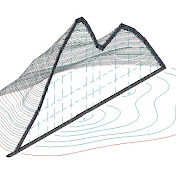
00:00:00 Allows multiple text objects to be aligned to a base object. Change the coordinate system so that it's possible to create an elevation with an ordinate dimensions. - By clicking for the first time on "UCS origin", we set the origin of coordinates at the point on the sample line that has the design elevation - By clicking the second time on "UCS origin" set the shift to the design elevation (i.e. "minus" shifts down the origin Create ordinate dimensions → EXPLODE→ rotate by 90°. TEXTALIGN command aligns the elevation relative to the base object (test) 00:00:55 - 2. Create ordinate dimensions → EXPLODE→ rotate by 90°. Copy the Y coordinates of the base object (test). in the properties of the selected elevation , assign the Y coordinates of the base object to the elevation 00:01:07 - 3. BONUS Assignment of coordinate distances relative to the Cross Section sample line: Creates a series of ordinate dimensions quickly from selected objects. Chang the coordinate system. With a fast size QDIM in the ordinary mode, we get coordinate offsets relative to the sample line.
Download
0 formatsNo download links available.