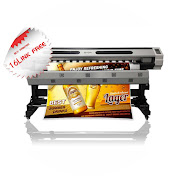
Getting the best print quality from Maintop DTP requires proper setup and fine-tuning. In this video, I’ll guide you through the best RIP settings to achieve sharp, vibrant, and high-resolution large-format prints.
🔹 What You’ll Learn:
✅ How to choose the right ICC profile for accurate colors
✅ The best resolution settings to avoid blurry prints
✅ How to enable anti-aliasing for smooth edges
✅ Proper halftone settings to reduce banding
✅ How to troubleshoot common Maintop DTP print issues
🔥 Why It Matters:
Using the wrong print settings can lead to dull, grainy, or misaligned prints. This guide will help you fine-tune Maintop DTP for professional results.
📌 Watch now to improve your large-format prints!
📢 Don’t forget to like, share, and subscribe for more print optimization tips!
🔔 Turn on notifications so you never miss an update.
👉 Have a question? Drop it in the comments!
#MaintopDTP #RIPSoftware #PrintOptimization #LargeFormatPrinting #BestPrintSettings #SharpPrints #PrintQuality #PrintingSoftware #ColorManagement #ProfessionalPrinting