Geometry Nodes a practical example: Backdrop
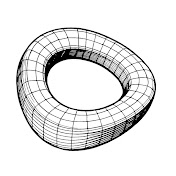
In this tutorial, you'll learn how to create a backdrop object using Geometry Nodes in Blender. I'll guide you through adjusting parameters such as width, height, length, depth, and curvature directly within the Geometry Nodes modifier, enabling quick customization of the backdrop to fit various models. The tutorial includes a unique feature: an integrated Cube reference object within the backdrop, which can be toggled on and off as needed. We'll be utilizing 9 specific nodes out of the available 237: Switch, Combine XYZ, Extrude Mesh, Points, Points to Curves, Curve to Mesh, Fillet Curve, Transform Geometry, and Join Geometry. This video serves as a straightforward guide to harnessing the power of Geometry Nodes. By the end, we'll save the backdrop object in the Asset Browser for easy access in future projects. 00:00 - Start 00:05 - Prolog 01:37 - Step 01 02:22 - Step 02 03:50 - Step 03 05:40 - Step 04 07:07 - Step 05 --------------------------- I'm excited to offer a discount on my favorite Blender addons. In other 3D software products, managing a materials overview is common, but in Blender, it's handled quite differently. However, with the QOL Material Panels addon, I always have a neat overview of my materials, making it a standout solution for what's usually an unconventional approach in Blender. Similarly, managing cameras in Blender can be challenging for beginners. The addon Camera Bookmarks offers a simple overview of all cameras. What's brilliant about it is the ability to save regular viewport perspectives as well. I highly recommend this addon; it significantly speeds up your workflow. The Full Collection naturally includes both of these addons, along with many other useful tools. I'm pleased to provide a 10% discount using the discount code: "createvisions". https://blendermarket.com/products/qol-tools-full-collection/?ref=1294 HDRI Maker enables me to easily insert my own HDRIs and organize them effortlessly. With this, I enjoy the same functionalities as the HDRI Link plugin for C4D, but without any recurring costs. I haven't even tested all the other features of this addon yet. I am happy to offer a 10 % discount with the discount code: createvisions https://blendermarket.com/products/hdri-maker/?ref=1294 Here's a list of all other addons from 'extreme-addons.' For every addon, there is a 10% discount with the discount code "createvisions" Extreme PBR https://blendermarket.com/products/extreme-pbr-addon-for-blender-279-2/?ref=1294 Bmesh Clean Add on https://blendermarket.com/products/bmesh-clean-add-on/?ref=1294 Traffic sign Megapack https://blendermarket.com/products/traffic-sign-megapack--free-cross-rail-smart-system-pro-version/?ref=1294 Cross rail smart system https://blendermarket.com/products/cross-rail-smart-system--2/?ref=1294 Cyber holograms https://blendermarket.com/products/cyber-holograms-blender-materials/?ref=1294
Download
0 formatsNo download links available.