Playing Arma in Arma
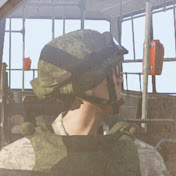
An demo for a BIS_fnc_playVideo with 3D sounds. By default the BIS_fnc_playVideo doesn't play sounds in 3D, so I pulled off a dirty script to change this behaviour. The idea is simply to play a soundless video (in OGV or OGG format), then use say3D to play the sound (in OGG format) separately. Note that the soundless video must be made with an external tool as I couldn't find a way to separate sound/video in game. And here's the script : playVideo= { params ["_video","_sound","_screen",["_maxDistance",50]]; _screen setObjectTexture [0, _video]; _soundSource = createVehicle ["Land_HelipadEmpty_F", getPosATL _screen,[],0,"CAN_COLLIDE"]; _playing=[_video,[10, 10]] spawn BIS_fnc_playVideo; _soundSource say3D [_sound,_maxDistance]; waitUntil {scriptDone _playing;}; deleteVehicle _soundSource; //To stoop prematurely : use [""] spawn BIS_fnc_playVideo; tv setObjectTexture [0, ""]; }; It can be called with : ["videos\narcos.ogv","soundNarcos",tv] spawn playVideo;
Download
0 formatsNo download links available.